You can access your account center from the membership site or directly through this link.
You can access your membership area in two ways: by Requesting a Magic Link or setting
How to log in by requesting a magic link:
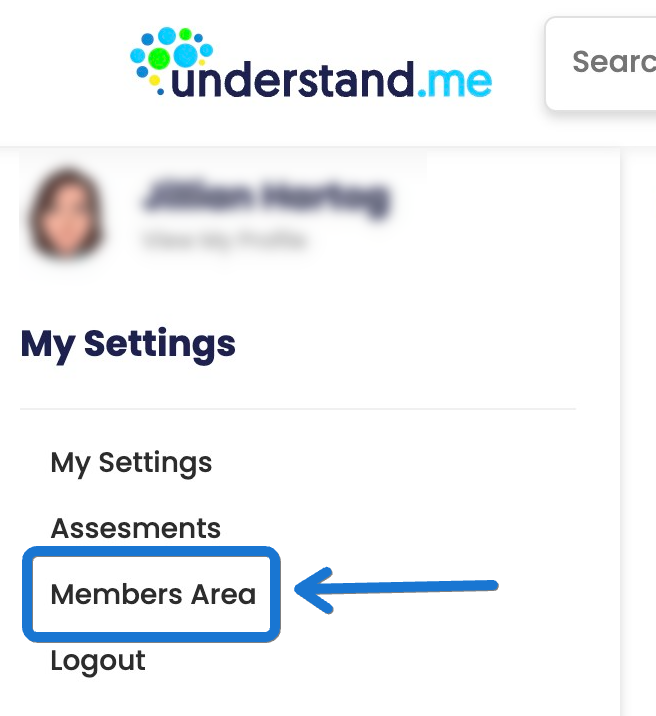
1. You will go to https://understand.me/ and log in, then click "Members Area" on the left side.
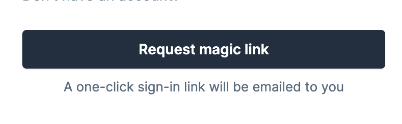
 2. You can also type in your Understand.me email. address from HERE. Click "continue" or sometimes it is “Request Magic Link”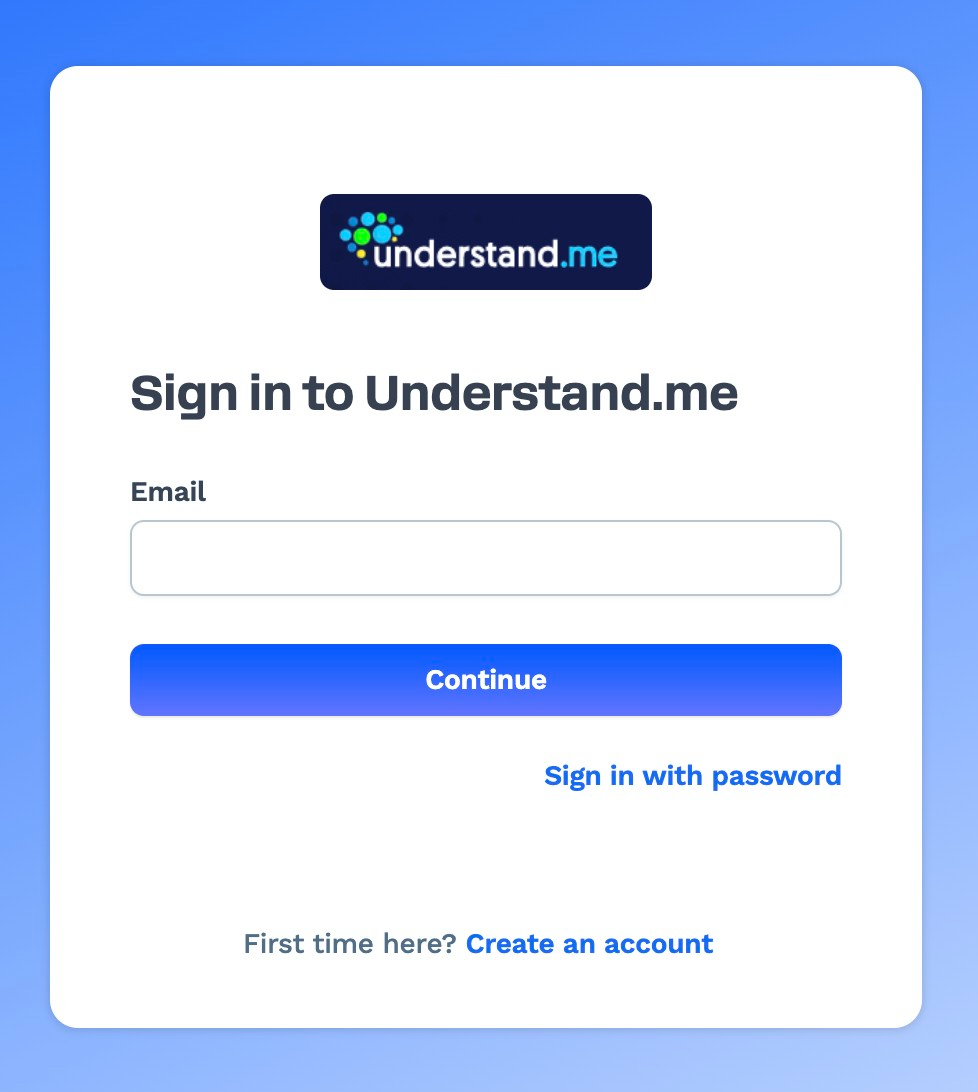
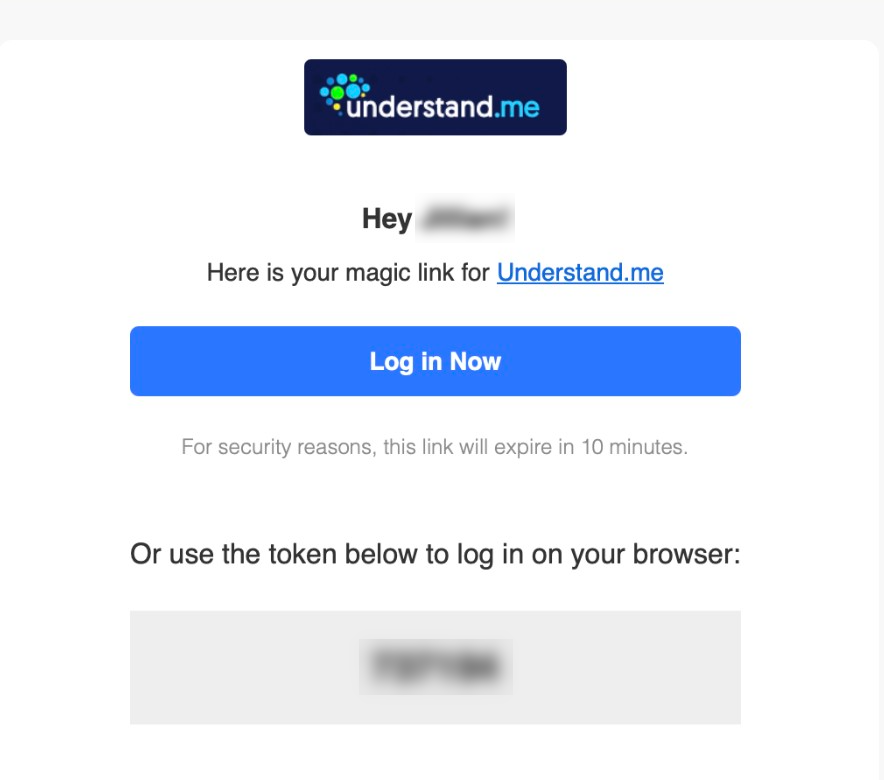
3. Now, go to your email and click the "Log in Now" link in the email sent to you or type in the 6 digit code on the page. This should log you in.
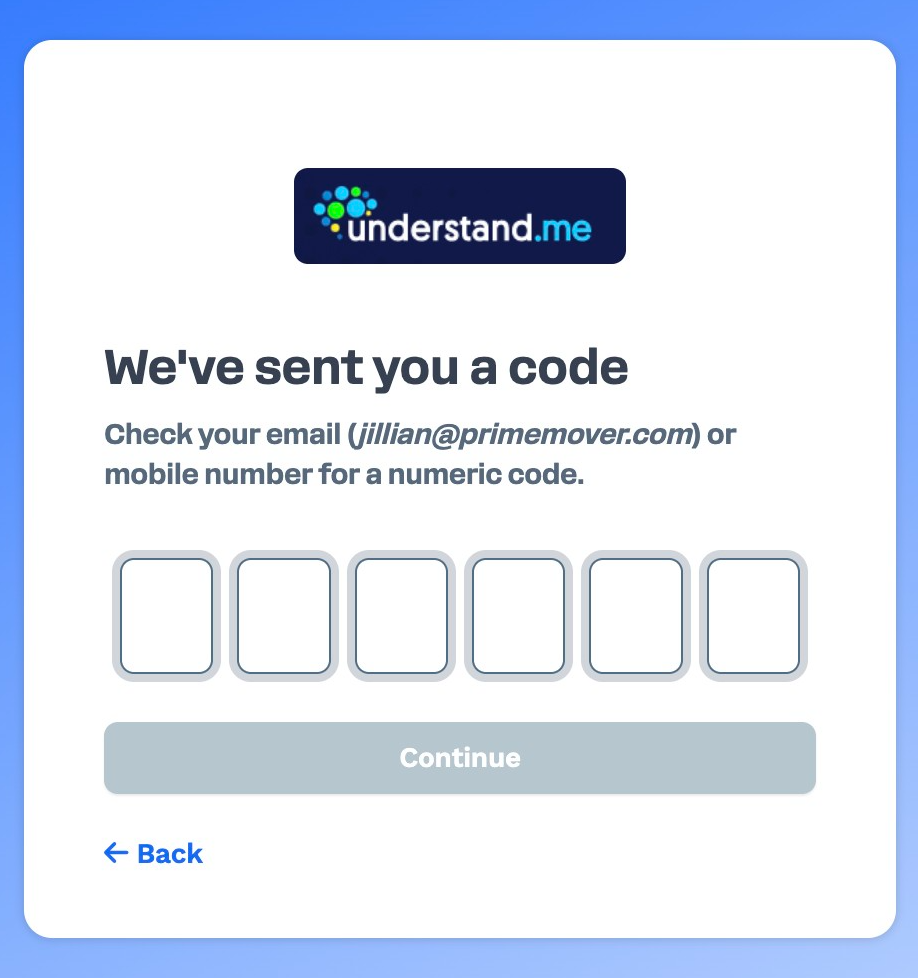
How to Log in by setting up a password:
To log in by setting up a new password you can go directly through this link: https://get.understand.me/contacts/password/new or follow the steps below:
1. You will go to https://get.understand.me/contacts/sign_in
2. Select "Sign in with password"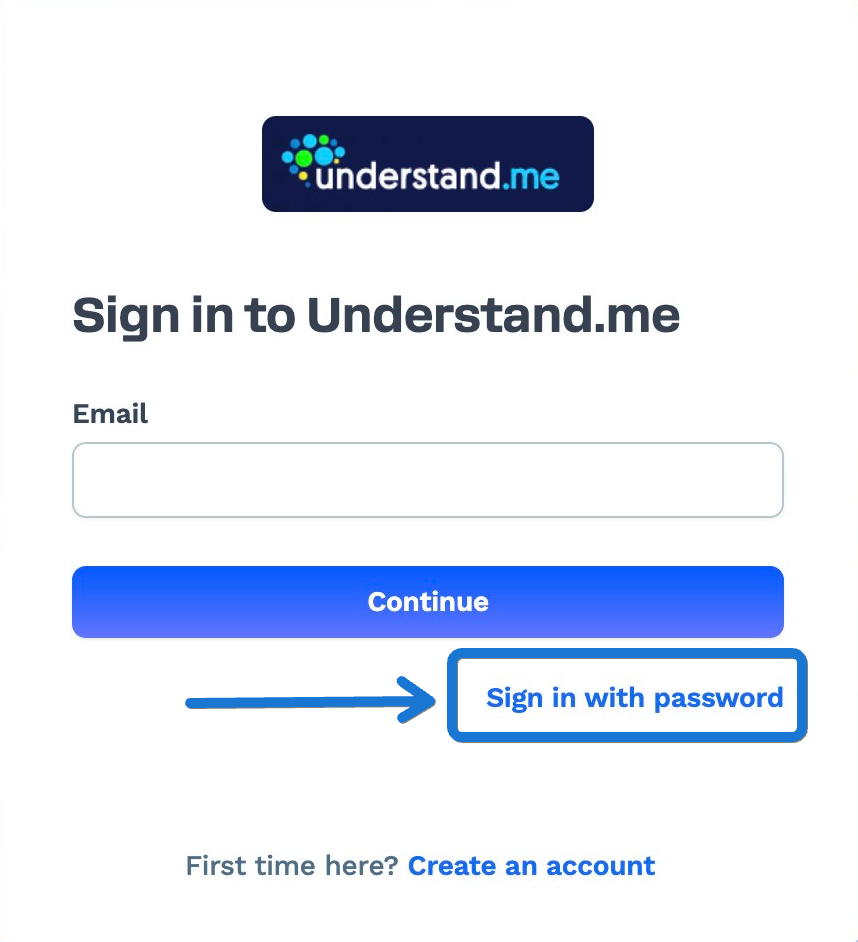
3. Select Set up a new password"
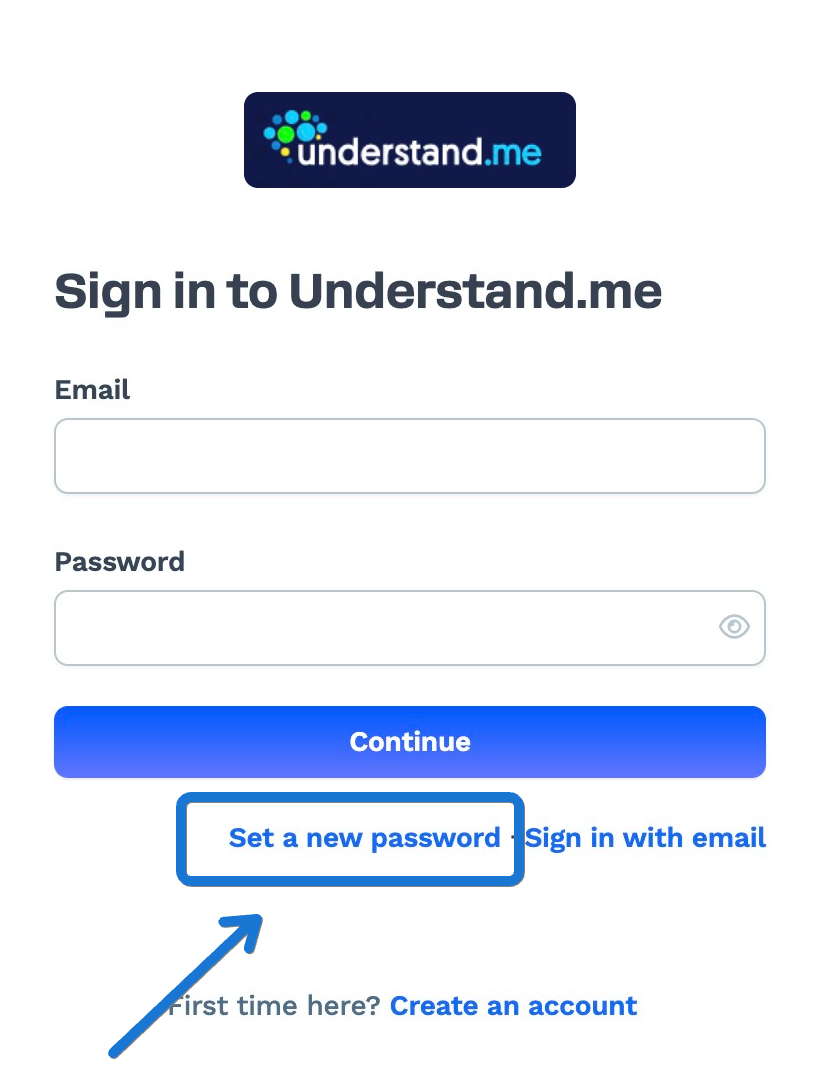
4. Type your email address.
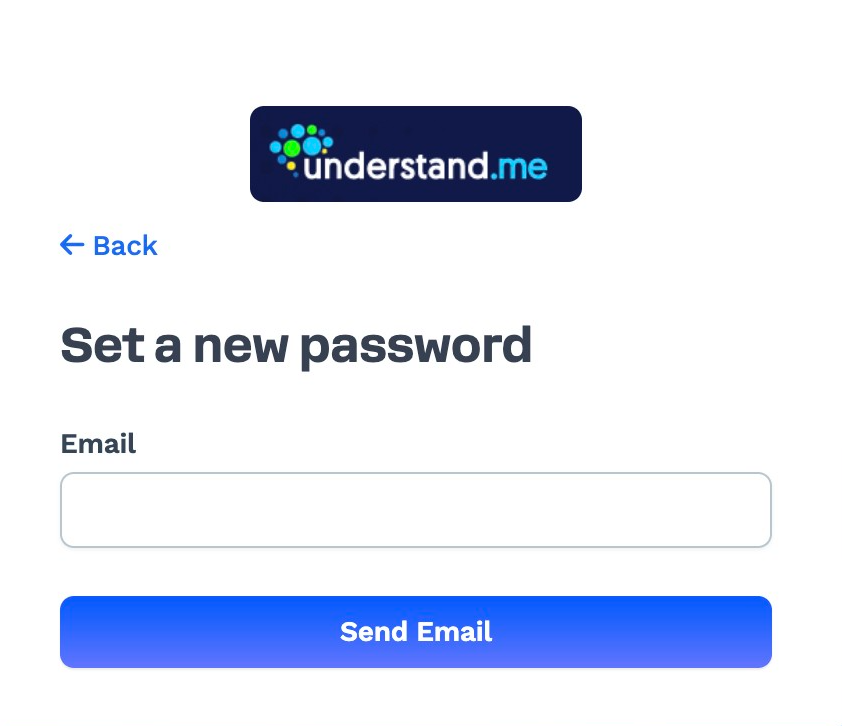
5. Check your email for the link to set up a new password to use. Once you have that set up, you can start logging in with your email and password instead of using the "Magic Link"
If you have any additional questions or need further help, please reach out to our support team by clicking on the widget at the bottom right of this page, or by email: support@understand.me
Was this article helpful?
That’s Great!
Thank you for your feedback
Sorry! We couldn't be helpful
Thank you for your feedback
Feedback sent
We appreciate your effort and will try to fix the article