If you've decided that it's time to cancel your Understand.Me account, whether it's due to changing needs, privacy concerns, or simply wanting to take a break, the process is straightforward when you know where to look.
In this guide, we’ll walk you through the step-by-step instructions to cancel your account smoothly, along with what to expect after cancellation, so you can make an informed decision with confidence.
Steps to Cancel your Subscription:
1. Once you log into your account, you want to navigate to where it says Account Settings

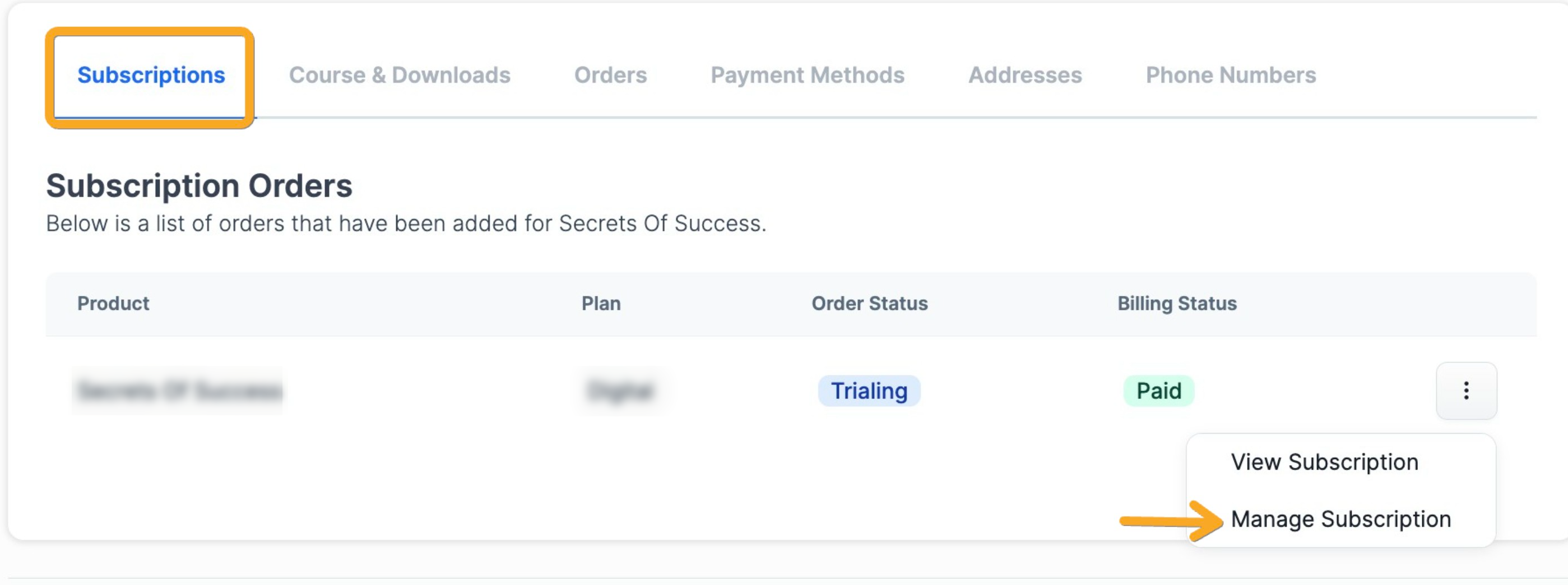
2. Under subscriptions, go to your active/trialing Understand.Me subscription you would like to cancel, click those 3 dots, and click on manage subscription.
3. Click on Cancel Subscription. 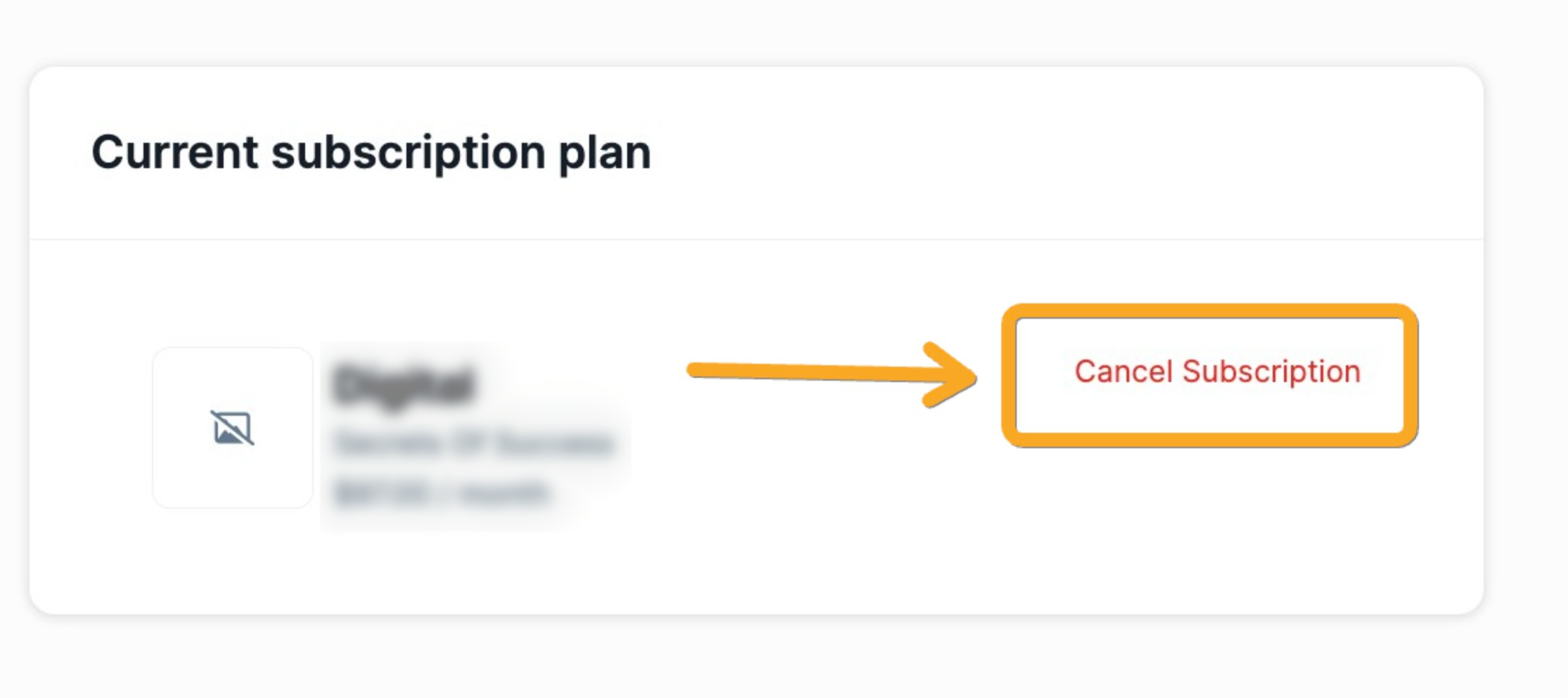
4. Select reason for cancelling dropdown menu, cancellation description if any, and click submit.
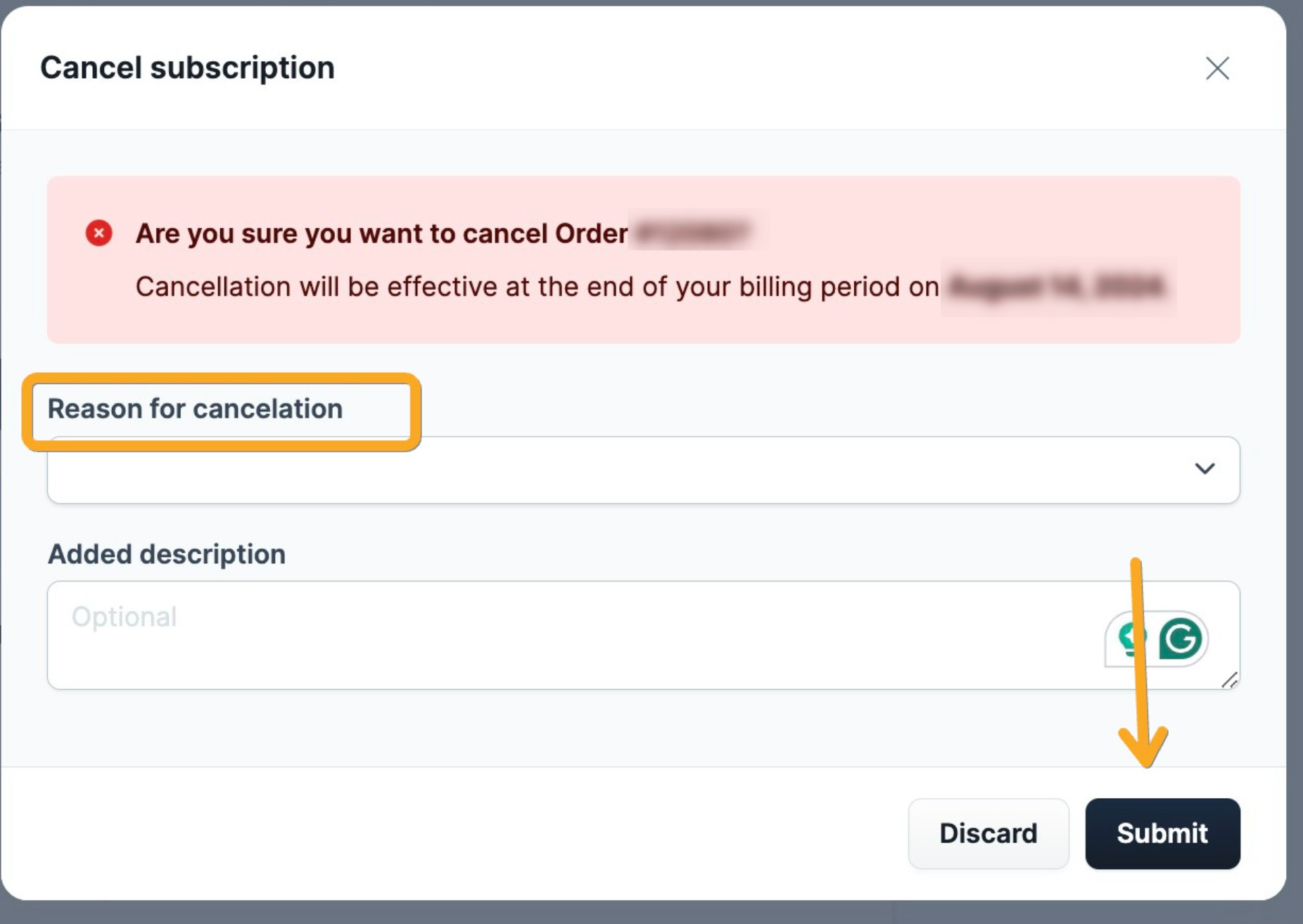
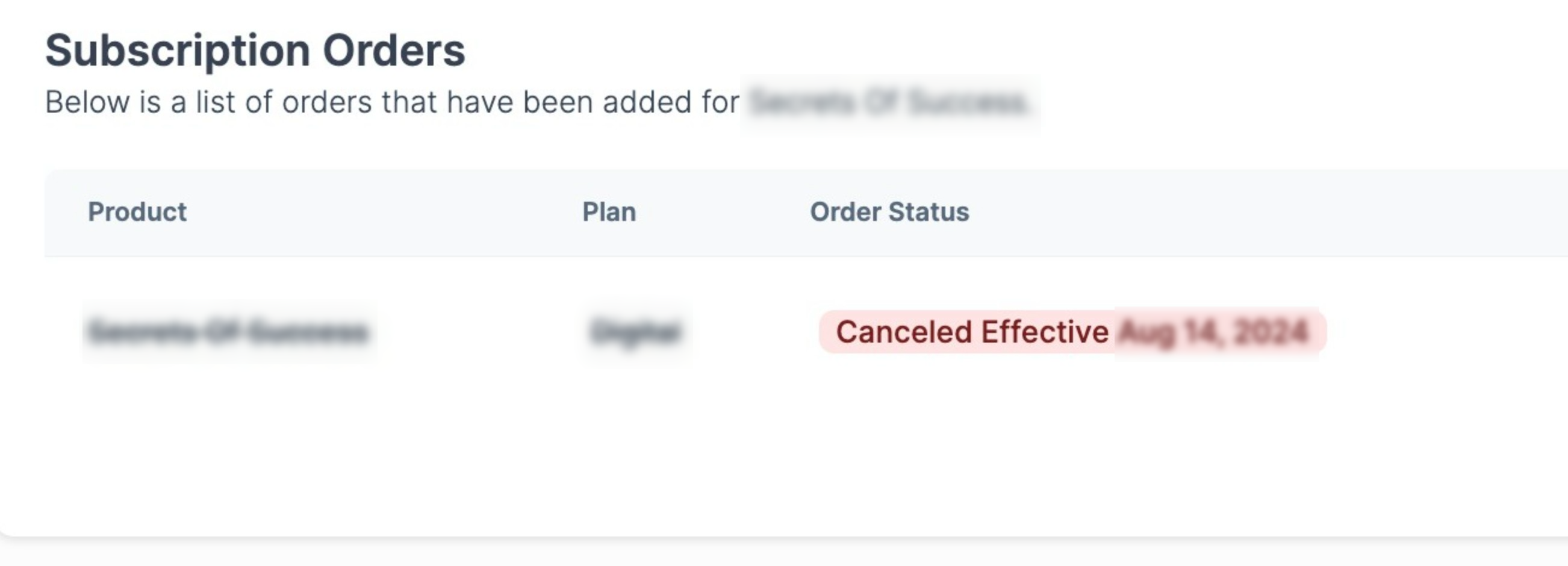
Note: Your subscription will remain active until the end of your billing cycle, and you will not receive a refund.
If you have any additional questions or need further help, please reach out to our support team by clicking on the widget at the bottom right of this page, or by email: support@understand.me
Was this article helpful?
That’s Great!
Thank you for your feedback
Sorry! We couldn't be helpful
Thank you for your feedback
Feedback sent
We appreciate your effort and will try to fix the article